

Switchbot Smart Switch Button Pusher (Bluetooth) – Fingerbot for Rocker Switch/One-Way Buttons, App Timer Control, No Wiring, Optional Hub Required for Voice/Remote, White
Original price was: $29.00.$25.99Current price is: $25.99.
Related Products

Blink Outdoor 4 – Wireless smart security camera, two-year battery life, 1080p HD day and infrared night live view, two-way talk. Sync Module Core included – 3 camera system

MOCREO WiFi Remote Thermometer Freezer Alarm, 1/3 Mile Long Range, IP66 Waterproof, App Email Alert, with Digital Monitor Hub, 2 Smart Wireless Temperature Sensors for Fridge, RV, Greenhouse

Govee Smart Light Bulbs – A19 Color Changing, 800 Lumens, E26 Base

Tapo Smart Plug, Wi-Fi in-Wall Outlet, P210M, Matter Compatible


Price: $29.00 - $25.99
(as of Sep 10, 2026 21:39:52 UTC – Details)
Product description
 Check the compatibility before purchase
Easy to set up 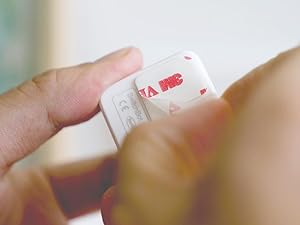 Tear off the 3M sticker
Install in 3 seconds. Note: Built-in CR2 battery. Before first use, remove the plastic battery isolation tab.
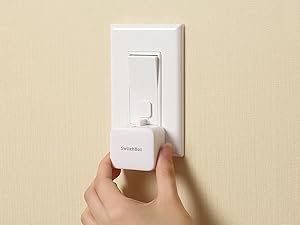 Attach near a switch or button
Just tape it next to a button or switch with no tools required.
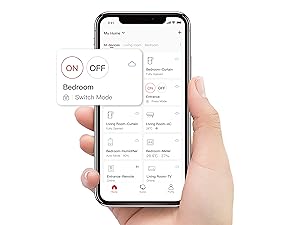 Tag the icon in the App
Turn the switch or button ON/OFF in the app.
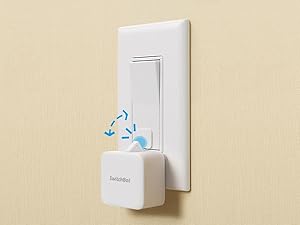 Push or pull
Push with the built-in arm and pull with the add-on. Use a regular-brand 3V CR2 battery.
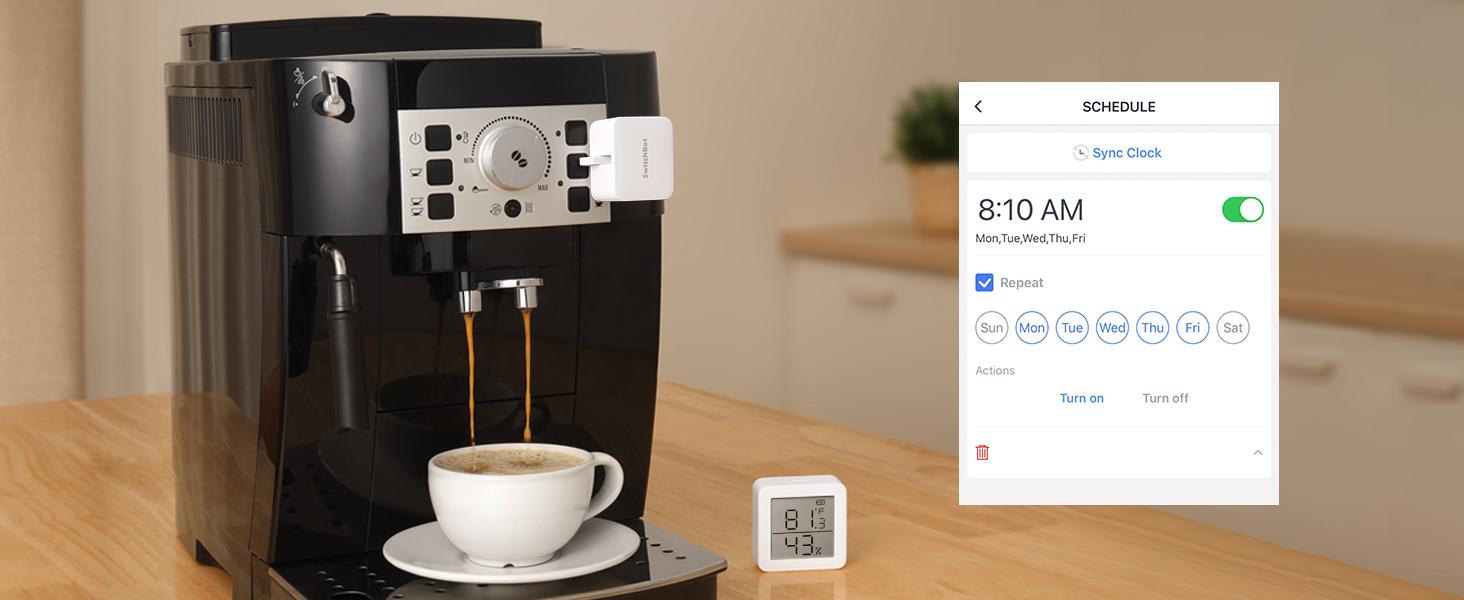 Automate with Schedule
Place it on a coffee machine or light switch and set a schedule to automatically turn it on or off.
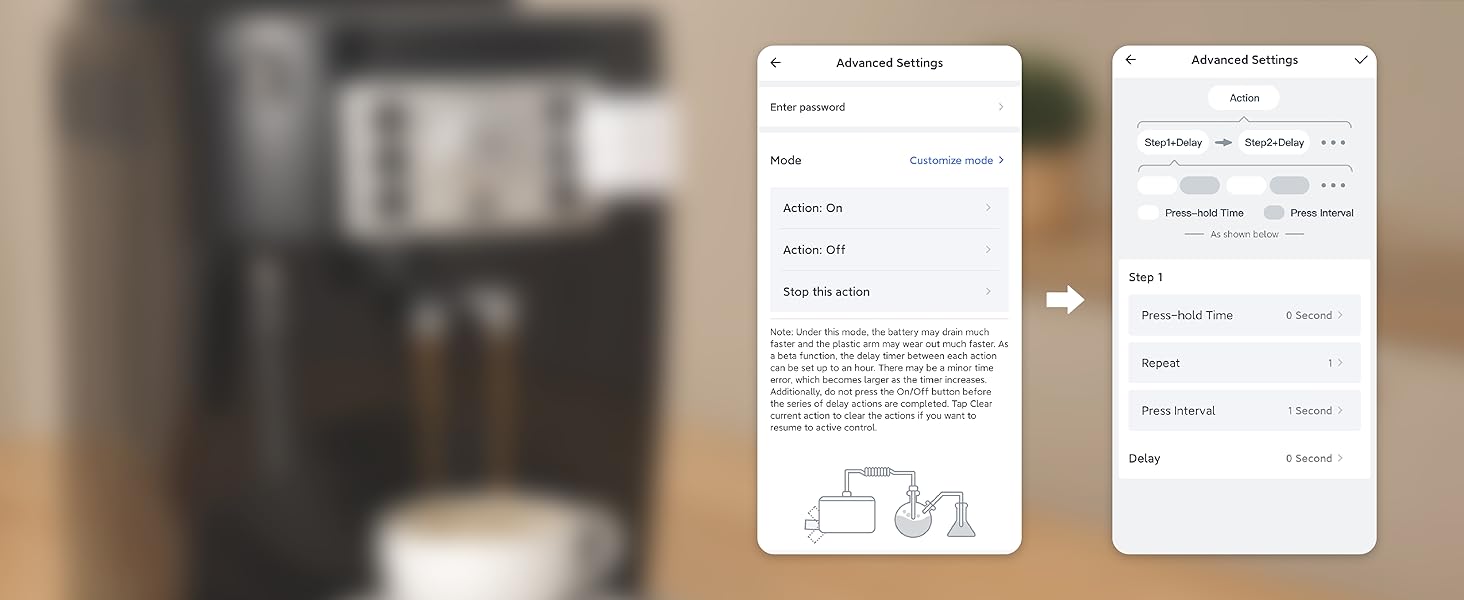 Repeat Actions
Set SwitchBot Bot to press the same button repeatedly for routines and continuous operation.
 Make Appliances Smart
Upgrade button-operated appliances without replacing them.
 Humidifier Automation
Automate a humidifier for a comfortable home routine.
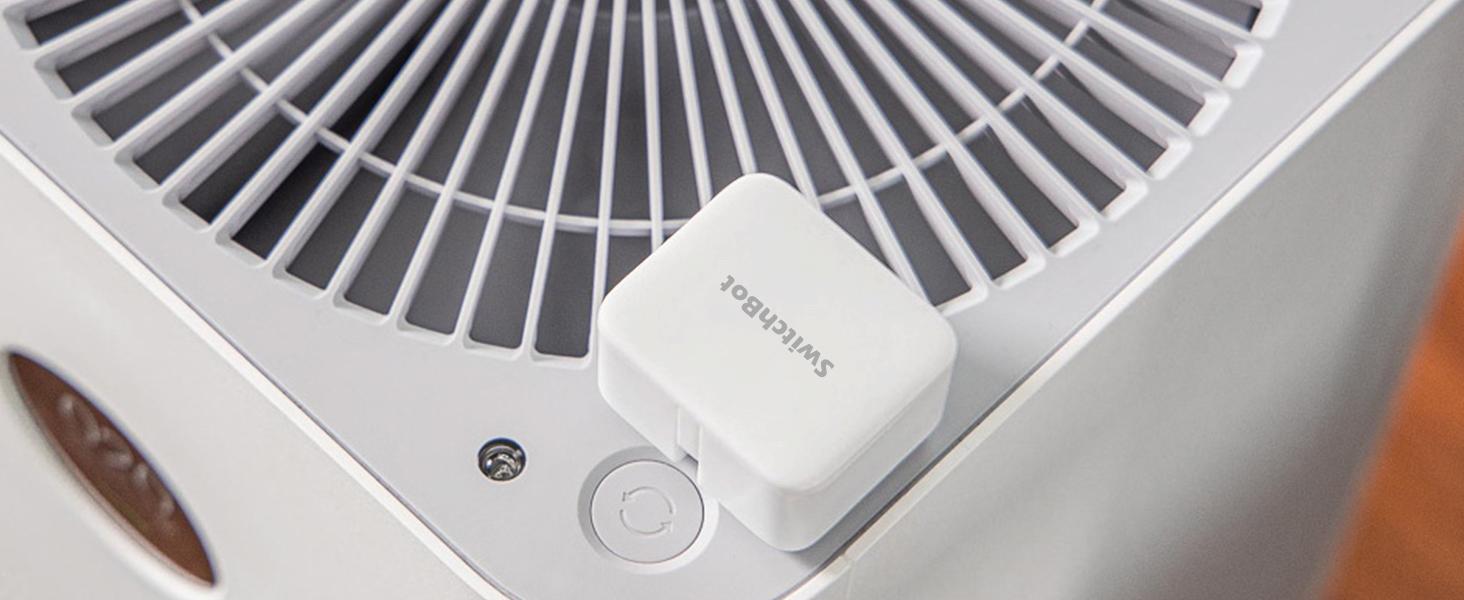 Fan Automation
Schedule your fan to turn on or off automatically.
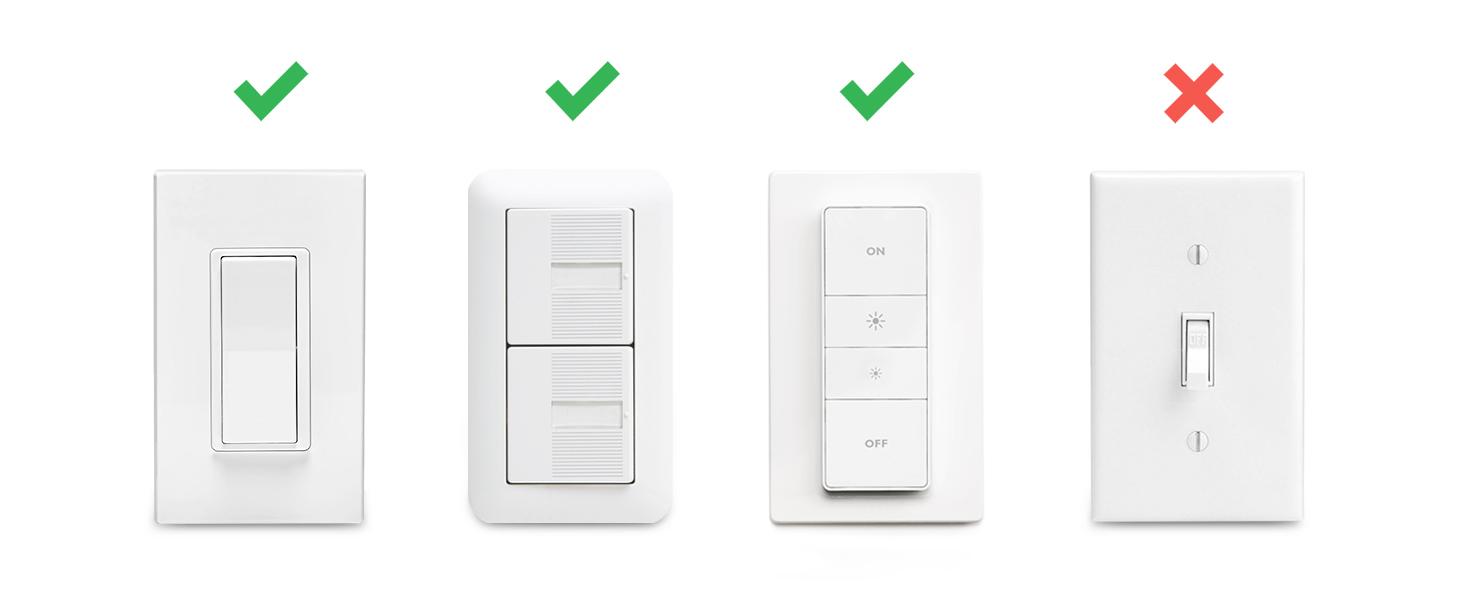 High Compatibility
SwitchBot is compatible with most rocker buttons and one-way switches, but not toggle switches and touch screen buttons. Not support overly hard or aged buttons.
How do I know if SwitchBot works or not? 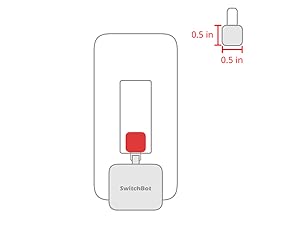 Space for the sticker
Sticker space requires more than 0.4 inches. Wait 24 hours after installation for best adhesion.
When to use add-on
For a rocker switch, apply the add-on to a clean, flat surface with enough room.
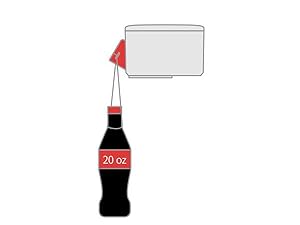 Strong for most
The Bot pushes with enough force for most switches while remaining gentle on devices.
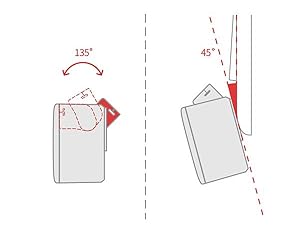 Maximum swing angle
The maximum swing angle is 135°. Install where the arm can reach the switch or button.
More Control Methods 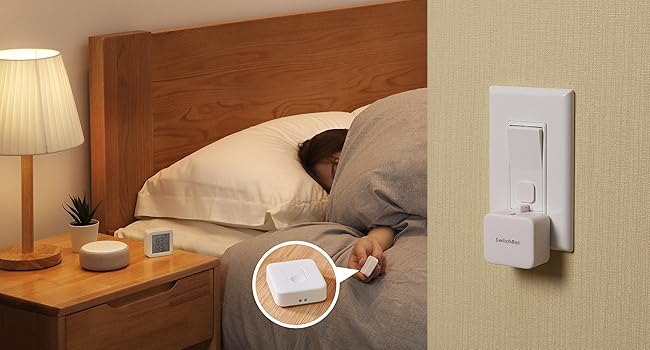 App Control
Add SwitchBot Hub Mini or Hub 2 (sold separately) to control Bot remotely from anywhere.
Remote Control
Press SwitchBot Remote (sold separately) to control lights without opening your phone.
Enhanced Control Distance (Pairing within 5m)  Enjoy Voice Control with SwitchBot Hub
Just say the words. With a SwitchBot Hub(sold separately), the Bots can be voice-controlled by Alexa, Google Assistant, Siri, and SmartThings. Enjoy the hands-free experience by saying “Alexa, turn off the light”, “Hey Google, a cup of coffee please”, or “Hey Siri, open the garage door”.
 Now supports HomeKit via Matter
SwitchBot Bot is supported via Matter when using SwitchBot Hub2 (sold separately), which in turn helps make your device supported via HomeKit. Now add SwitchBot Bot to Apple Home for an even better smart home experience.
Compare SwitchBot Bot Options
Add to Cart
Add to Cart
Add to Cart
Add to Cart
Add to Cart
Add to Cart
Customer Reviews
4.1 out of 5 stars 28,475
4.2 out of 5 stars 77
4.4 out of 5 stars 152
4.5 out of 5 stars 26
4.3 out of 5 stars 8
4.0 out of 5 stars 149
Price
$25.99$25.99
$29.99$29.99
$36.54$36.54
$44.99$44.99
$68.99$68.99
$93.49$93.49
Bots included
1
1
1
2
1
3
Power
CR2 battery
CR2 battery
CR2 battery
CR2 battery
CR2 battery
CR2 battery
Bluetooth app & schedules
Yes
Yes
Yes
Yes
Yes
Yes
Remote included
No
No
Included
No
No
No
Hub included
No
No
No
No
Yes
Yes
Voice & remote access
No
No
No
No
Yes
Yes
Matter / Apple Home
No
No
No
No
Yes
Yes
Best for
One switch
Rechargeable setup
One-button remote
Two switches
Smart-home starter
Multi-room starter
Make any supported switch “smart” without rewiring — Control rocker switches & one-way buttons from your phone for bedroom lights, fans, or appliances you don’t want to get up to reach — not for toggle/mini switches, touch panels, or stiff/aged buttons.
App control + built-in timers that keep running — Set on/off schedules for morning coffee routines or nightly shutoffs — schedules run in the SwitchBot app without needing your phone nearby or a hub once set.
Bluetooth control included; Hub adds voice + away control — Use Bluetooth for local control, or add a SwitchBot Hub (sold separately) for remote control + voice control (Alexa/Google Assistant/Siri) and IFTTT — 2.4 GHz Wi-Fi required for hub features
Fast, tool-free install with stronger hold when you prep right — Stick it on in seconds with included adhesive — for best results, mount on clean, dry, smooth surfaces and allow 24 hours for full bonding before heavy use. 1-Year Warranty with Free Replacement for Quality Issues: This product comes with a 1-year warranty starting from the date of purchase. During the warranty period, if any product quality issues occur causing malfunctions or improper functioning, you can contact SwitchBot Customer Support to request a free replacement. Enjoy peace of mind with reliable after-sales support.
Choose the right mode for the job — Use Press Mode for button presses; use Switch Mode for pushing/pulling rocker switches (Switch Mode requires an add-on) — plus scenes and ecosystem automation via the SwitchBot app and API.
Customers find the smart switch button easy to set up and appreciate its convenience in making home automation easier. The functionality and compatibility receive mixed feedback – while it integrates well with Alexa and Google Home, some customers struggle with Bluetooth connectivity. Moreover, the adhesive stability is mixed, with some praising its strength while others report it doesn’t stick properly, and reliability is also mixed with some reporting it stops working unexpectedly. Additionally, opinions on value for money are divided between those who find it worth every dollar and those who consider it not worth the money.
User Reviews
Be the first to review “Switchbot Smart Switch Button Pusher (Bluetooth) – Fingerbot for Rocker Switch/One-Way Buttons, App Timer Control, No Wiring, Optional Hub Required for Voice/Remote, White”
Original price was: $29.00.$25.99Current price is: $25.99.
There are no reviews yet.